

Knowledge overview
Knowledge is the material an expert answers from. Give an expert your price list, your policies, your website and the questions you hear most, and it answers from them. When something isn’t there, it says so instead of making it up.
What you can add
Markdown with clear headings gives the most accurate answers. Markdown written in the Open Knowledge Format works especially well; when you upload a whole folder of it, its index.md and log.md files are skipped.
Where knowledge lives
Every document lives in exactly one place:
- An expert’s own knowledge. Only that expert reads it. You manage it on the expert’s Knowledge tab.
- A shared folder. Every expert the folder is attached to reads it. Put company facts, policies or a product catalog here once, instead of copying them into each expert.
The Knowledge page in the sidebar shows both in one place: every folder, every expert’s own knowledge, and every document. See Knowledge library.
On an expert’s Knowledge tab, shared folders appear under Shared knowledge and are called collections. A collection there and a folder in the Knowledge library are the same thing.
Add knowledge to an expert
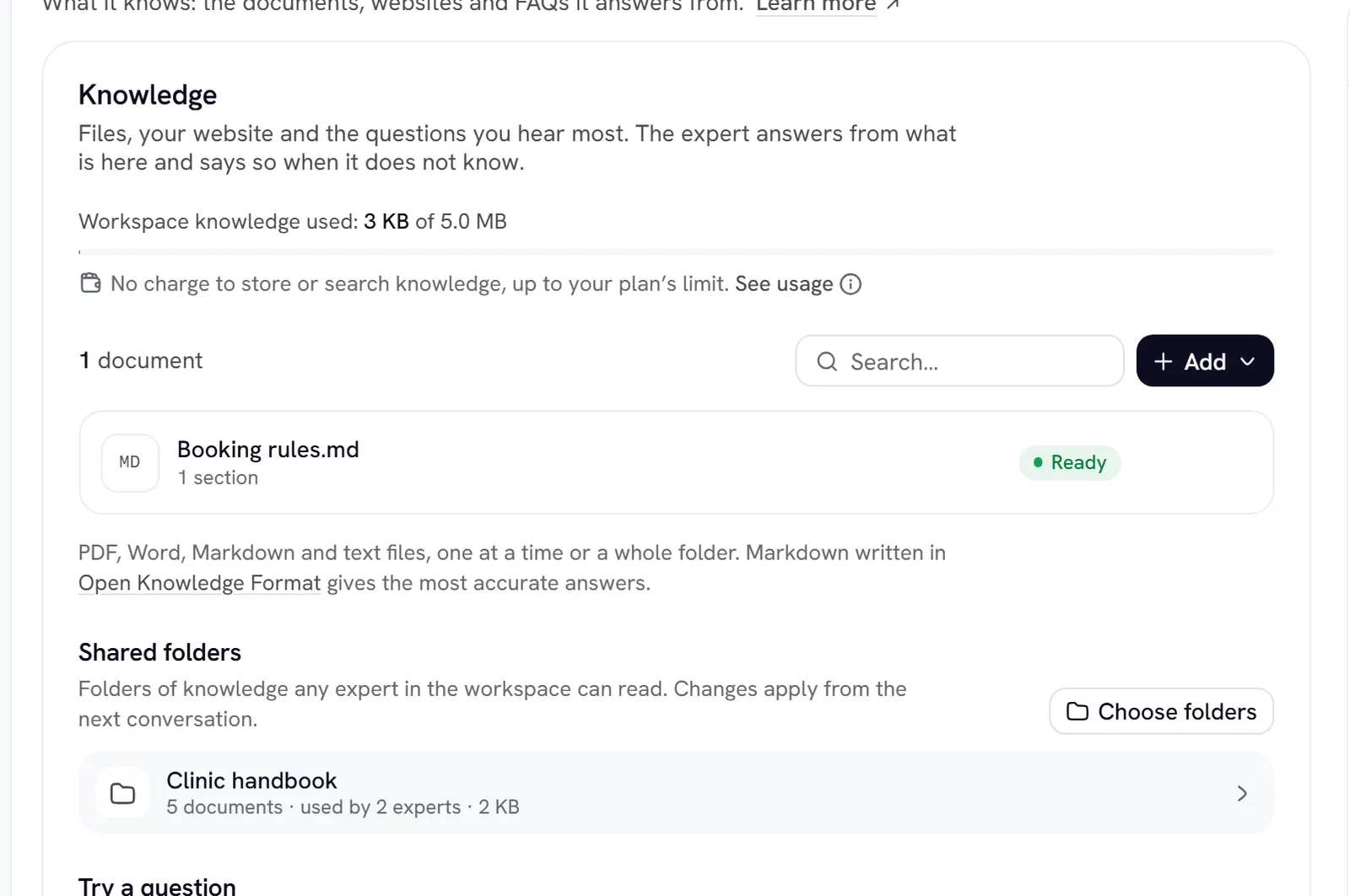
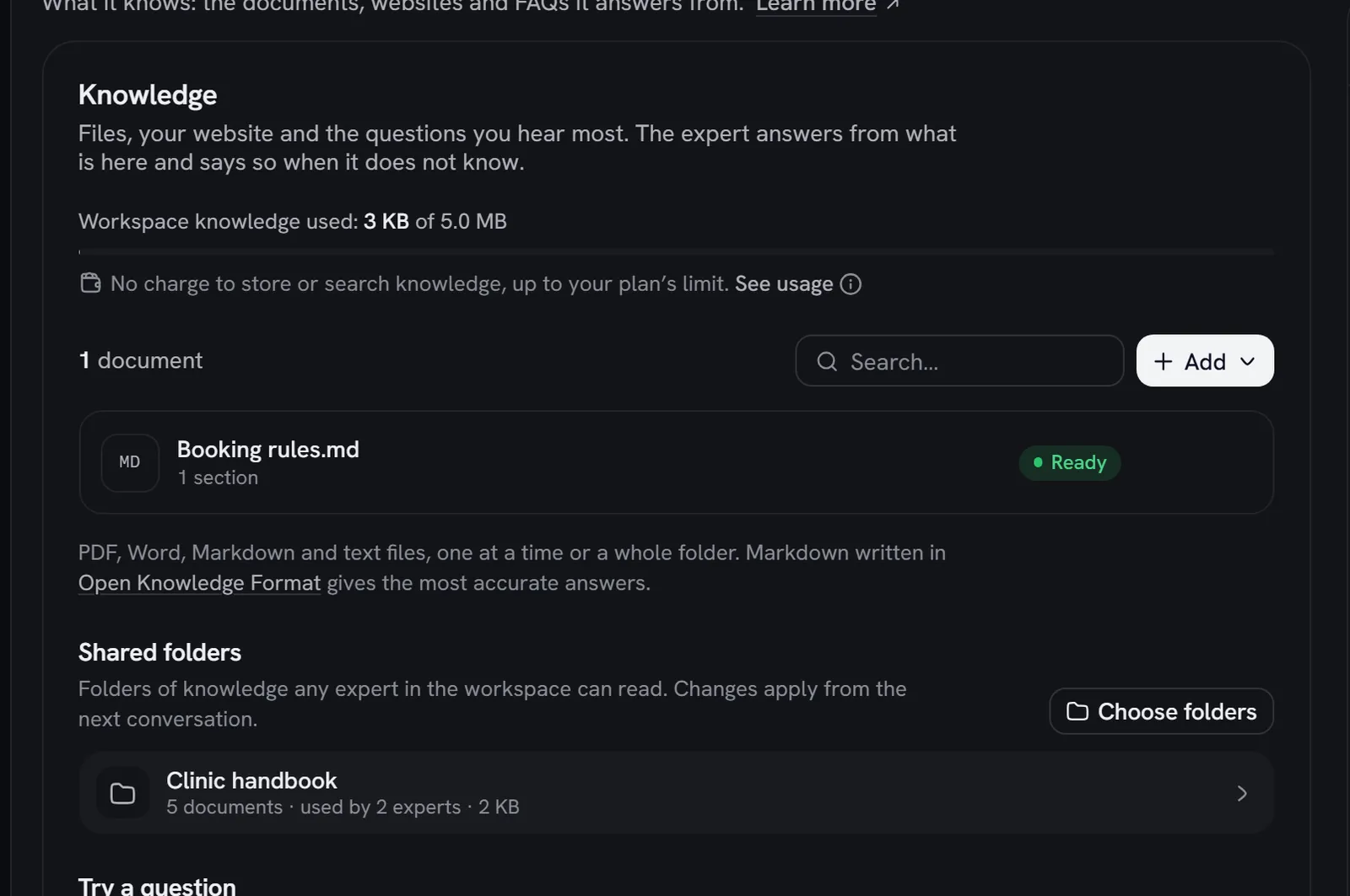
Open the Knowledge tab
Open the expert and choose Knowledge. The top line shows Knowledge used: your workspace’s total against your plan.
Add documents
Choose Add: Upload files, Paste text, Add from a website or Add questions and answers. You can also drop files on the list.
Wait for Ready
Each document shows Processing while it is read, then Ready. If one shows Failed, the reason is beside it; choose Retry.
Check it
Under Try a question, type something a customer might ask and choose Search. See Search and sources.
Knowledge saves as you add it. It doesn’t wait for the expert’s Save changes, and the expert uses it from its next conversation.
How an expert uses its knowledge
Rydhm picks the approach for you, by size:
- Small knowledge (most experts) goes into the expert’s instructions whole. On a call, the expert knows all of it on every turn, with no time spent looking things up.
- Large knowledge is searched for each question. Rydhm finds the most relevant passages, from the expert’s own documents and its folders, and gives them to the model with the question.
- Text chat always searches, and shows the documents it used under the reply as Sources.
Either way the expert is told to answer from what it found, and to say plainly when the answer isn’t there. See Search and sources.
Limits
- Size. Your plan caps the text stored across the whole workspace: experts and folders together. The bar turns amber past 80% and red at the limit. Once billing is switched on for your workspace, anything that would go past the limit is refused: remove something or upgrade. See Billing.
- Files. Up to 8 MB per file.
- Website imports. A page cap per import, by plan. See Website import.
- Questions and answers. Up to 500 per document. See Questions and answers.
Who can change it
Admins add, edit, retry and remove knowledge. Members see the same lists, states and search, read-only.
Gotchas
- Removing knowledge takes effect from the next conversation. A call in progress keeps what it started with.
- Knowledge isn’t part of an expert’s versions. Restoring an older version doesn’t bring back deleted documents. See Versions and testing.
- Exports don’t carry knowledge. An expert imported from JSON starts with none.
- Deleting a folder deletes its documents for every expert that reads it.