

Test suites
A test suite is a set of tests for one expert. Each test has a simulated customer talk with the expert, then checks the conversation: did it do what you expected, and did it say (or avoid) the right words? Every check is graded with a quote from the conversation.
Tests are safe to run. Nothing really happens during a test: tools don’t run, no email is sent and nothing is booked.
Tests live on the expert’s Analysis tab, under Tests. Admins write and run them; members can read them.
Write a test
Add a test
On the expert’s Analysis tab, open Tests and select Add test. Or select Suggest tests to have Rydhm draft five for you to edit.
Name it and pick the kind
Give it a Name. Under What it tests, choose Conversation or Next reply (see below).
Add checks
Under Checks, write up to five yes/no sentences, like “The expert asks for the order number before promising a refund.”
Add phrase checks (optional)
Under Must say and Must not say, add up to 10 words or phrases each, like a product name the expert must use or a competitor it must never mention.
A test needs at least one check or phrase. The same phrase can’t be in both lists. An expert can have up to 50 tests.
Conversation tests
A simulated customer has a whole conversation with the expert.
- Who the customer is: optional. For example, “A busy clinic manager who is sceptical about AI.” Leave it blank for an ordinary, patient customer.
- What they want: required. The simulated customer uses it to know when it’s done, for example “Book a demo for next Tuesday afternoon.”
- Longest conversation: from 1 to 12 turns, 6 by default. The customer can also end it early once it got what it wanted, or gave up.
Next reply tests
Checks one reply to a set situation.
- The conversation so far: up to 20 lines, each from the Customer or the Expert.
- The customer says: the message the expert has to answer.
Use these for one exact moment, like a tricky objection or a prompt-injection attempt.
How tests are graded
- Checks are graded by a judge model. Each check gets a pass or fail, with a quote from the expert’s lines as evidence. A check it can’t decide counts as failed.
- Phrase checks match whole words, ignore case and accents, and only look at what the expert said. They don’t use a model.
- A test passes only if every check passes and every phrase check holds.
Tests are text conversations. The expert answers through the same engine as chat, with its persona, knowledge and guardrails, so a test checks what the expert says, not how its voice sounds. Tools show as “simulated, nothing ran”.
Run tests
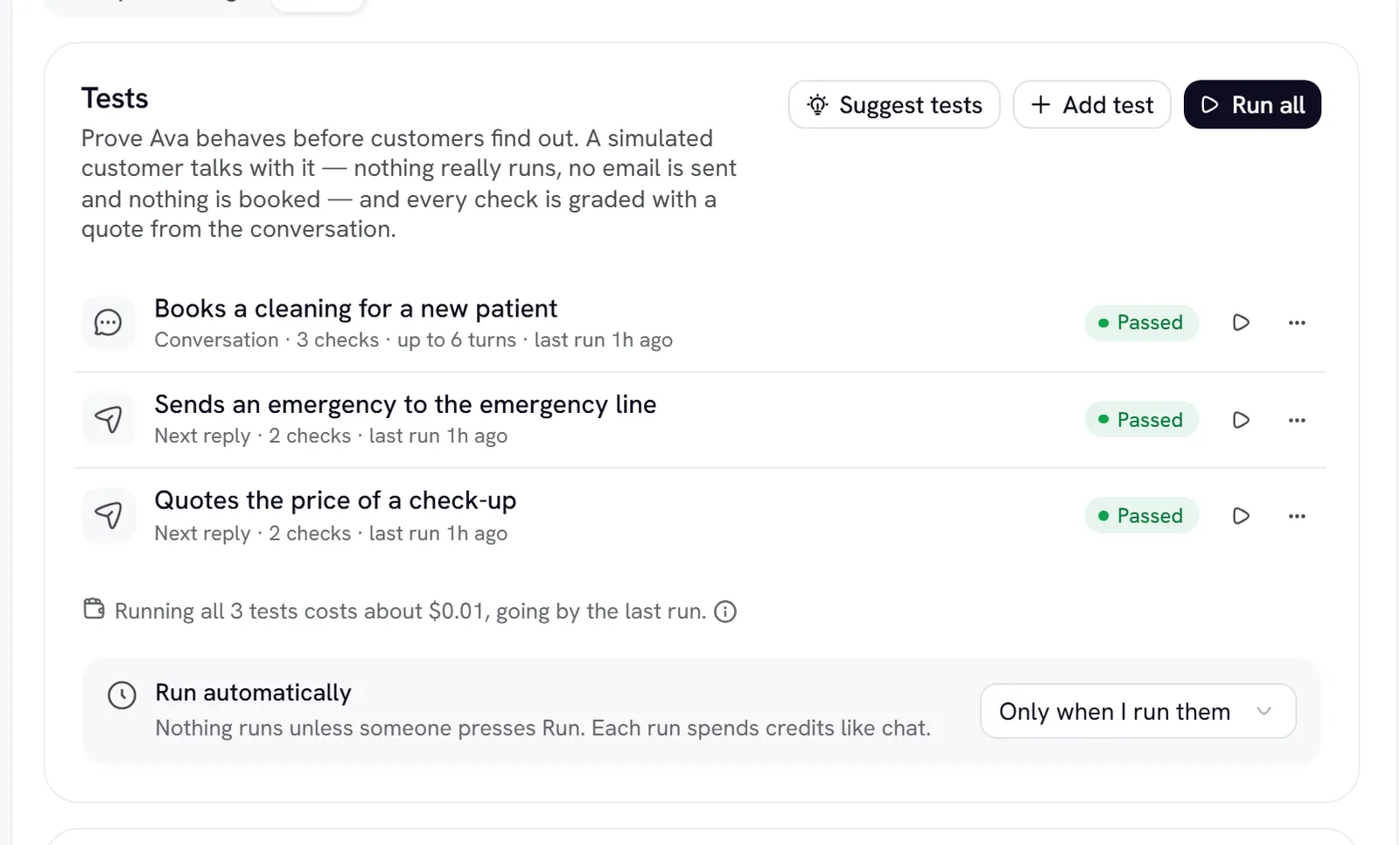
- Select Run all to run every test included in “Run all”. Up to 20 tests run per run, 3 at a time.
- If you have unsaved edits in the expert editor, the button reads Run all on unsaved changes. The run uses your edits, and nothing is saved. Use this to try a change before you save it.
- Select Stop to end a run early.
Each result card shows Passed, Failed, Couldn’t run or Not run, each check with its quote, the phrase checks, why the conversation stopped, the average reply time, and the cost. Select Show conversation to read it all.
Run history shows the pass rate over the last runs. Test runs never appear in Conversations or Analytics.
Run tests automatically
Under Run automatically, choose:
Automatic runs spend credits just like the ones you start.
Cost and limits
- Test conversations draw credits like chat, by tokens. See Billing.
- Each run has a $2.00 spending limit, and the run shows how much of it was used. A run that reaches it ends as Stopped at the spending limit, and the tests it didn’t reach show Not run. Model calls already in progress can take it a few cents over.
- One run at a time per expert, and up to 10 runs an hour per workspace.
- An expert reply that takes more than 90 seconds fails that test.
Tips
- Start with Suggest tests, then edit the drafts to match your real customers.
- Write one test per behaviour. Small tests fail for one clear reason.
- Add a Must not say test for every promise the expert must never make, such as prices it doesn’t know.
- Turn on After each save so a change to the persona or knowledge can’t quietly break something that used to work.